10 AI assistants for small business in 2026, compared
The best assistant is the one that fits the job already slowing your firm down. Some answer questions. Some work inside one software suite. Some schedule the calendar. A few can carry a delegated job across several parts of the day.
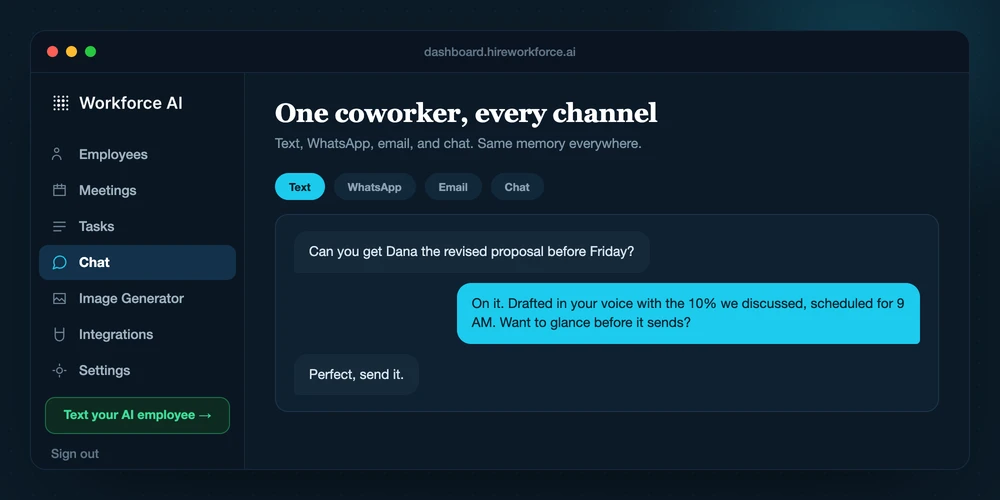
What is the best AI assistant for a small business?
Choose by the work you need to hand off. ChatGPT or Claude fits writing, analysis, and research. Microsoft 365 Copilot, Google Gemini, Slack AI, Notion AI, and HubSpot Breeze fit teams already centered in those systems. Zapier fits app-to-app automation. Reclaim fits calendar planning. Workforce AI fits a small firm that wants one AI employee across supported Zoom meetings, Gmail or Outlook drafts, owner channels, tasks, and remembered context, with client-facing email kept behind owner review.
Quick comparison by the job each assistant handles best
Prices and packaging change. The entries below were checked on 2026-08-24.
| Assistant | Best use | Starting point | Main boundary |
|---|---|---|---|
| Workforce AI | Delegated work across Zoom, inbox drafts, tasks, and context | Free email drafter; Starter from $99 per user monthly | Client-facing email stays owner-approved |
| ChatGPT | General writing, research, analysis, and connected app work | Free; Business from $20 per user monthly on annual billing | App actions and access vary by plan and connector |
| Microsoft 365 Copilot | Work inside Word, Excel, PowerPoint, Outlook, and Teams | Paid license plus an eligible Microsoft 365 business plan | Best fit for a Microsoft-centered stack |
| Google Gemini | Work inside Gmail, Docs, Sheets, Drive, and Meet | Included with current Google Workspace business editions | Best fit for a Google-centered stack |
| Slack AI | Summaries, huddle notes, search, and recaps in Slack | AI features vary across paid Slack plans | Most useful when team knowledge lives in Slack |
| Zapier | Automations and agents across many cloud apps | Free; Professional from $19.99 monthly on annual billing | Task and agent-activity usage needs monitoring |
| Claude | Long documents, careful drafting, and connected knowledge work | Free; Pro $20 monthly | Connector access and usage limits vary by plan |
| Notion AI | Workspace knowledge, project docs, search, and meeting notes | Trial on Free; included with Business and Enterprise | Custom agents use separate credits |
| HubSpot Breeze | CRM-based sales, marketing, and service work | Some features free; paid seats and credits vary | Value depends on keeping HubSpot data current |
| Reclaim | Focus time, tasks, habits, and recurring meeting schedules | Free for one user; paid team plans available | Built around the calendar, not the inbox or CRM |
Assistant is a broad label. The work is what matters.
A chat assistant waits for a question and returns an answer. It is useful for drafting, research, analysis, and thinking through a decision. It still depends on a person to bring the context, judge the answer, and move the result into the next system.
A suite assistant works inside software the business already uses. Microsoft 365 Copilot, Google Gemini, Slack AI, Notion AI, and HubSpot Breeze can use the context and permissions of their home platforms. This cuts copying, but the useful boundary usually follows the suite.
A specialist owns one lane. Reclaim protects time on the calendar. Zapier runs designed workflows between apps. An AI employee covers a broader delegated job. Workforce AI can join a supported Zoom meeting, prepare Gmail or Outlook drafts in the owner's learned voice, carry account memory, and run configured tasks. Messages that affect a client still need the owner at the approval point.
We used owner questions, not model scores
A 1-to-20-person firm does not need a benchmark chart before it knows who owns the follow-up. It needs to know where the assistant works, what it can finish, what a person must review, and what the normal month will cost.
We compared current public product boundaries in five areas: the job handled, access to business context, ability to work in connected tools, review controls, and cost structure. We did not assign performance scores because we did not run the same task set in every product.
- Breadth: one prompt, one workspace, one workflow, or work across channels.
- Context: what the assistant can read, remember, or retrieve with permission.
- Action: whether it only suggests work or can create a draft, event, record, or workflow step.
- Control: where a person reviews sensitive or client-facing work.
- Cost: seats, tasks, credits, add-ons, and the time required to maintain the setup.
Match one expensive hour before you buy a platform
Look at the last two weeks. Mark the repeated work that stole the most owner time: writing from a blank page, finding an answer in company files, catching up on team conversations, moving data between apps, protecting calendar time, updating the CRM, or following a meeting through to an approved reply.
Then test the smallest real version. Use one project, one inbox label, one meeting type, or one workflow. Keep the old process available during the pilot and name the person who can stop the new one when the result is wrong.
Judge the assistant by completed work and edit time. A pile of generated words is not a business result. A useful pilot can show a shorter reply queue, fewer missed handoffs, faster document work, or calendar time that stayed protected.
- Choose one repeated job with a visible start and finish.
- Use real work with low consequences before expanding permissions.
- Review outputs for accuracy, tone, commitments, and missing facts.
- Count maintenance time as part of the cost.
The tools, one job at a time
Each entry names the job it handles best and the tradeoff that matters after the trial.
- 01
Workforce AI
Official sourceBest for: small, relationship-driven firms that want to delegate work across Zoom meetings, inbox drafts, tasks, and remembered context
Workforce AI is an owner-side AI employee. It can join supported Zoom meetings with the owner or attend one specific Zoom meeting in the owner's place with a brief, prepare Gmail or Outlook drafts in the owner's learned voice, use unified account memory, and work across 60+ public integrations. The owner reviews client-facing email before it goes out.
Workforce AI view: Start with the free drafter when email is the job. Use a paid plan when supported meetings, tasks, memory, owner channels, or connected work are part of the handoff.
- Current cost
- Free email drafter; Starter begins at $99 per user monthly
- Watch for
- It is not a public line for the owner's customers. Customer-facing text or WhatsApp answering, inbound phone answering, Microsoft Teams meetings, and Google Meet participation are outside the shipped product. Meeting write-ups should be reviewed.
- 02
ChatGPT
Official sourceBest for: general writing, research, analysis, file work, and flexible tasks across supported apps
ChatGPT covers broad knowledge work and can connect to supported business apps for search, research, synced context, and selected write actions. Business adds a managed workspace, company context, administration, and business data controls.
Workforce AI view: Choose ChatGPT when the job begins with a question. Choose Workforce AI when the job needs to move through supported meetings, account memory, inbox drafts, and an owner approval step.
- Current cost
- Free for individuals; Business begins at $20 per user monthly on annual billing with a 2-user minimum
- Watch for
- Do not assume every app can take every action. Availability depends on the app, plan, region, and workspace settings, and a person still needs to check consequential output.
- 03
Microsoft 365 Copilot
Official sourceBest for: businesses already centered on Microsoft 365
Microsoft 365 Copilot works in Word, Excel, PowerPoint, Outlook, and Teams, with chat, research, analysis, and Microsoft agents. It is a strong fit when the firm's files, mail, meetings, and permissions already live in Microsoft 365.
Workforce AI view: Copilot helps inside the Microsoft suite. Workforce AI fits owners who want one delegated workflow across supported Microsoft email, Zoom, owner channels, memory, and other connected tools.
- Current cost
- A paid Copilot Business license requires an eligible Microsoft 365 business plan
- Watch for
- Licensing has two layers, and the value falls when important work sits outside Microsoft 365. Confirm the exact apps and agent features included in the plan before buying seats.
- 04
Google Gemini for Workspace
Official sourceBest for: businesses already using Gmail, Docs, Sheets, Drive, and Meet
Gemini is built into familiar Google Workspace apps. It can help summarize Gmail threads, draft email and documents, work with spreadsheets, and support meetings without moving the work into a separate chat tab.
Workforce AI view: Gemini improves work inside Google Workspace. Workforce AI adds an owner-side employee layer across Gmail drafts, supported Zoom meetings, memory, and connected business tasks.
- Current cost
- Gemini features are included with current Google Workspace business editions; edition prices vary
- Watch for
- The strongest context stays inside Google Workspace. Check edition limits, data settings, and whether outside systems need a separate connector or workflow.
- 05
Slack AI
Official sourceBest for: teams that need to catch up, search conversations, and capture huddle notes inside Slack
Slack AI can summarize conversations, take huddle notes, filter search, and, on eligible plans, provide answers, recaps, file summaries, translations, and workflow help. It is useful when the missing context is already in channels and shared files.
Workforce AI view: Slack AI helps the team understand Slack. Workforce AI fits a delegated job that also reaches supported meetings, inbox drafts, tasks, and account memory.
- Current cost
- Conversation summaries and huddle notes are on paid plans; advanced AI features require higher tiers
- Watch for
- Features vary sharply by plan. Slack is still the home of the work it can see, so email, CRM, and outside meeting workflows may need other products or integrations.
- 06
Zapier
Official sourceBest for: moving known data and running repeatable workflows across cloud apps
Zapier combines trigger-and-action workflows with forms, tables, chatbots, and agents across thousands of apps. It fits an owner or operator who can describe the trigger, map the fields, and maintain the flow.
Workforce AI view: Zapier is the connection machinery. Workforce AI is the worker for communication and follow-through around supported meetings, inbox threads, and remembered context.
- Current cost
- Free; Professional begins at $19.99 monthly on annual billing; Agents use a separate activity allowance
- Watch for
- Count the tasks or agent activities in a normal and busy month. Multi-step workflows also need an owner who can diagnose failed runs and changed fields.
- 07
Claude
Official sourceBest for: long documents, careful drafting, analysis, and connected Google Workspace work
Claude supports large-context document work and business writing. Current Google Workspace connectors can search Gmail, work with Calendar and Drive, and create Gmail drafts while leaving sending with the user.
Workforce AI view: Claude is strong when the document is the job. Workforce AI fits a continuing owner-side role across supported meetings, memory, tasks, and reviewed inbox work.
- Current cost
- Free; Pro is $20 monthly; Team starts at $20 per member monthly on annual billing with a 2-member minimum
- Watch for
- Connector capabilities, administration, and usage vary by plan. A long context window can hold more material, but it does not remove the need to verify the answer against the source.
- 08
Notion AI
Official sourceBest for: teams that keep project work, documents, and internal knowledge in Notion
Notion AI works in pages, tasks, and databases. Its current product includes Notion Agent, meeting notes, and search across the workspace and supported connected apps, which makes it useful for internal knowledge and project updates.
Workforce AI view: Notion AI helps the workspace organize and use its knowledge. Workforce AI fits the owner who wants the same delegated thread to continue into supported meetings and inbox drafts.
- Current cost
- Limited trial on Free; core AI is included with Business and Enterprise; Custom Agents require credits
- Watch for
- It works best when the team already keeps clean, current work in Notion. Always-on Custom Agents have a separate credit model, so recurring volume needs a budget.
- 09
HubSpot Breeze
Official sourceBest for: sales, marketing, and service teams whose customer record already lives in HubSpot
Breeze uses HubSpot CRM data and business context for guidance, content, record summaries, meeting preparation, and specialized sales, marketing, or service agents. It is most useful when HubSpot is the real customer record rather than a database the team ignores.
Workforce AI view: Breeze is the natural assistant inside HubSpot. Workforce AI fits broader owner-side work that begins in a supported Zoom meeting or inbox and continues through reviewed follow-up.
- Current cost
- Breeze Assistant and selected features are available free; other agents and features require paid editions, seats, or credits
- Watch for
- Packaging varies by feature. Price the required Hub, seat, and credit use together, and check review controls before allowing any customer-facing agent to act.
- 10
Reclaim
Official sourceBest for: protecting focus time and keeping tasks, habits, and recurring meetings on the calendar
Reclaim schedules focus time, habits, tasks, buffers, and Smart Meetings around changing calendar conditions. It is a focused choice when the business problem is a calendar that never leaves room for the work.
Workforce AI view: Reclaim protects the time. Workforce AI can help carry the supported meeting, inbox, and follow-up work that fills that time.
- Current cost
- Free for one user; paid plans add team capacity, longer scheduling ranges, and more integrations
- Watch for
- Reclaim organizes time. It does not replace an inbox assistant, CRM assistant, or meeting follow-up system, so buy it for scheduling rather than a broad assistant label.
What small-business buyers ask
What is the difference between an AI chatbot and an AI assistant?
A chatbot is an interface that answers a prompt. An assistant may also use files, business context, or connected apps to help complete a task. The label is not a guarantee. Check what the product can read, what it can change, and where a person reviews the result.
Can one AI assistant handle email, meetings, and follow-up?
Some products cover more than one lane, but the exact channels matter. Workforce AI can join supported Zoom meetings, prepare Gmail or Outlook drafts, use unified account memory, and carry work into configured tasks. Client-facing email still waits for owner review.
Can an AI assistant send client follow-ups automatically?
Some vendors offer customer-facing agents or automated sequences. Review the vendor's controls, your consent obligations, and the consequences of a wrong message. Workforce AI prepares client-facing email for the owner to review and send. It does not give the owner's customers an autonomous text or WhatsApp line.
How much does an AI assistant cost for a small business?
The range runs from free individual plans to per-user subscriptions, task charges, credits, and enterprise contracts. Price the normal month, including every seat, connector, task, credit, and the time someone spends maintaining the setup.
How should a small business test an AI assistant?
Use one repeated job for two weeks. Keep the input and expected finish consistent. Track completed work, owner edit time, errors, and missed handoffs. Do not expand permissions until the assistant is reliable on the narrow job.
Is business data safe in an AI assistant?
Safety depends on the plan, contract, settings, permissions, and how your team uses it. Check whether business data trains shared models, require multi-factor authentication, grant the smallest practical access, and verify retention, deletion, audit, and regulated-data terms before connecting sensitive systems.
Pages checked for this guide
- Workforce AI pricing and plan boundaries
- OpenAI business pricing
- OpenAI apps in ChatGPT
- Microsoft 365 Copilot Business pricing
- Google Workspace AI for business
- Slack guide to AI features
- Zapier pricing
- Claude plan comparison
- Claude Google Workspace connectors
- Notion AI product and plan details
- HubSpot Breeze AI overview
- Reclaim pricing and plan features
Give the assistant a real finish line.
Start with one inbox thread, meeting workflow, or repeated task. Keep the review point visible, measure the result, and widen the job only after it earns the next step.
