10 automation tools for a small service business in 2026
The useful question is not which app has the longest feature list. It is which repeated job is costing you time, and who will keep the automation working six months from now.
What are the best automation tools for a small service business?
Start with the bottleneck. Zapier or Make can move data between apps. HubSpot or Pipedrive can organize leads and follow-up. Calendly handles booking. ActiveCampaign handles marketing sequences. QuickBooks Online handles accounting workflows. Slack keeps internal work visible. Activepieces offers an open-source path. Workforce AI is built for work that crosses meetings, the inbox, client context, and owner-approved follow-up.
Quick comparison by the job you need done
Prices and packaging change. The entries below were checked on 2026-08-24.
| Tool | Best use | Starting point | Owner effort |
|---|---|---|---|
| Workforce AI | Meetings, inbox drafts, follow-up, and remembered client context | Free email drafter; paid plans from $99 per user monthly | Low after connections and review rules are set |
| Zapier | Moving data between many apps | Free; Professional from $19.99 monthly on annual billing | Medium |
| Make | Visual, multi-step app workflows | Free; Core from $12 monthly for 10,000 credits | Medium to high |
| HubSpot | CRM, forms, contacts, and basic sales follow-up | Free for up to 2 users | Medium |
| Calendly | Self-serve appointment booking | Free; Standard from $10 per seat monthly on annual billing | Low |
| ActiveCampaign | Email marketing and customer sequences | From $15 monthly | Medium |
| QuickBooks Online | Bookkeeping and accounting workflow | Simple Start list price $38 monthly | Low to medium |
| Slack | Internal communication and lightweight workflow | Free; Pro from $7.25 per user monthly on annual billing | Low |
| Pipedrive | Sales pipeline and activity follow-up | Lite from $14 per seat monthly on annual billing | Medium |
| Activepieces | Open-source or cloud automation | Free; Plus from $16 monthly on annual billing | Medium to high |
Buy for one repeated failure first
A service business rarely needs an automation platform as its first decision. It needs fewer missed estimates, faster client replies, cleaner handoffs, or a calendar that stops creating conflicts. Name the failure before you compare software.
Use a two-week sample of real work. Count every time a lead sits unanswered, an owner copies information between systems, a meeting ends without a follow-up, or a payment reminder gets sent late. The most frequent expensive failure is the first automation candidate.
Keep the first workflow narrow enough to explain in one sentence. A useful example is: when a new website inquiry arrives, create the contact, notify the owner, and prepare the first reply. A poor first project is: automate sales. The second version hides too many decisions.
- Pick work with a clear trigger and a visible finish.
- Keep judgment, pricing, commitments, and sensitive messages with a person.
- Name the person who will notice when the workflow stops.
- Measure one business result, such as response time or follow-up completion.
Three sensible ways to assemble the stack
A very small firm can run well with a specialist stack. Calendly books the call, HubSpot tracks the relationship, QuickBooks handles the books, and Zapier connects the handoffs. This is easy to understand because each product has one clear home.
A builder stack uses Make, Zapier, or Activepieces as the center. It works well when someone enjoys mapping fields, testing edge cases, and checking failed runs. The subscription may be inexpensive, but the maintenance belongs in the budget.
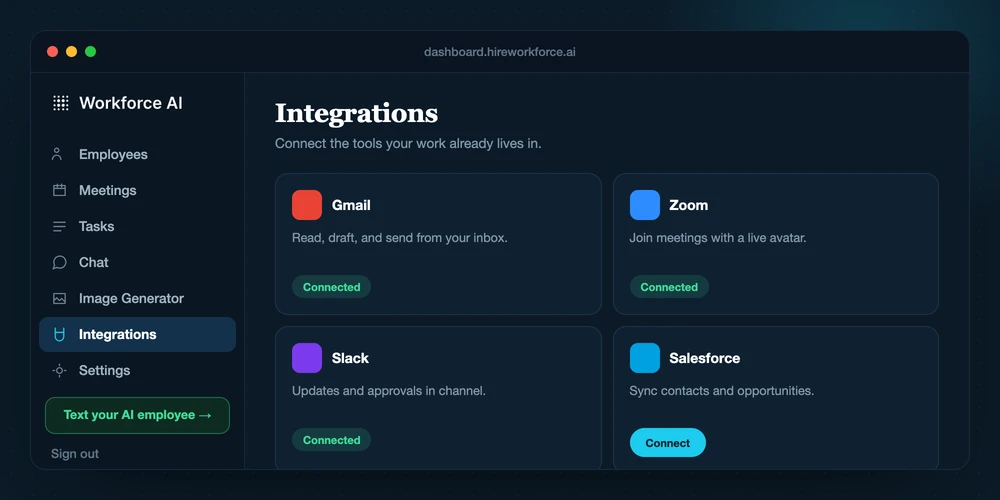
An AI employee stack starts with the work the owner delegates. Workforce AI can join a supported Zoom meeting, use connected context, prepare email drafts in the owner's voice, and carry the thread into follow-up. Client-facing email still waits for owner review. This option fits firms that need one place to delegate work across several channels.
Check the cost that appears after setup
Monthly price is one line in the cost. Credit limits, per-task charges, extra seats, premium connectors, implementation time, and failed-run cleanup can matter more. Put a realistic month of volume into the pricing calculator before committing.
Ask who owns the workflow in month six. A visual canvas can be easy to start and hard to diagnose when a field changes. An AI product can be easy to direct and still require clear approval rules. A CRM can hold every contact and become useless if nobody updates it.
Security belongs in the first review. Use individual accounts, multi-factor authentication, the smallest practical permissions, and an offboarding checklist. For regulated work, verify the contract, data handling, and any required agreement before adding sensitive information.
- Price the normal month and a busy month.
- Test what happens when a field is missing or an app is unavailable.
- Confirm the product can export the data you own.
- Write down the approval point before the first live run.
The tools, one job at a time
Each entry names the job it handles best and the tradeoff that matters after the trial.
- 01
Workforce AI
Official sourceBest for: relationship-driven firms that need meetings, email drafts, client context, and follow-up in one delegated workflow
Workforce AI gives a small firm an AI employee that works across supported Zoom meetings, Gmail or Outlook drafts, owner channels, tasks, and connected business context. The owner sets the brief and reviews client-facing email before it goes out.
Workforce AI view: Start with the free email drafter when the inbox is the bottleneck. Move to a paid plan when meetings, memory, follow-up, or connected actions are the larger job.
- Current cost
- Free email drafter; Starter begins at $99 per user monthly
- Watch for
- It is a poor fit for unsupported phone answering, Microsoft Teams or Google Meet participation, and workflows that require an unverified system write.
- 02
Zapier
Official sourceBest for: connecting common cloud apps with trigger-and-action workflows
Zapier covers more than 9,000 integrations and supports simple Zaps, multi-step workflows, forms, tables, MCP tools, and agents. It is a practical default when the job is moving known data between popular apps.
Workforce AI view: Zapier connects systems. Workforce AI is useful when a person needs to delegate the surrounding communication and follow-up.
- Current cost
- Free; Professional begins at $19.99 monthly on annual billing
- Watch for
- Every external connector call or workflow step can affect task usage. Multi-step volume grows faster than a simple trigger count suggests.
- 03
Make
Official sourceBest for: visual workflows with branches, filters, and detailed data mapping
Make gives an operator a visual canvas, routers, filters, API access, and more than 3,000 apps. It suits workflows where each step and data transformation should be visible.
Workforce AI view: Choose Make when you want to design the machinery. Choose an AI employee when you want to describe the business job and review the result.
- Current cost
- Free; Core begins at $12 monthly for 10,000 credits
- Watch for
- A scenario can consume several credits per run because each module action counts. Complex diagrams also need an owner who can debug them.
- 04
HubSpot Smart CRM
Official sourceBest for: organizing leads, contacts, forms, deals, and basic sales activity
HubSpot's free tools cover contact and deal management, forms, scheduling, email templates, and a shared CRM foundation. It can become the customer record for a young service business.
Workforce AI view: A CRM stores the relationship. Workforce AI can help prepare the communication that moves the relationship forward.
- Current cost
- Free for up to 2 users; paid products vary by hub and seat
- Watch for
- Advanced automation, marketing contacts, sales features, and service features sit in separate paid packages. Price the bundle you will really use.
- 05
Calendly
Official sourceBest for: letting prospects or clients book from controlled availability
Calendly solves a specific problem cleanly: available times, event types, reminders, routing, and calendar connections. It is easy to test because the result is a booked meeting.
Workforce AI view: Calendly books the time. Workforce AI can help prepare for the Zoom call and handle the work that follows it.
- Current cost
- Free; Standard begins at $10 per seat monthly on annual billing
- Watch for
- Team routing, CRM connections, payment collection, and advanced admin features require paid tiers.
- 06
ActiveCampaign
Official sourceBest for: marketing email, segmentation, and scheduled customer sequences
ActiveCampaign combines email marketing, automation, CRM functions, and add-ons for channels such as SMS and WhatsApp. It fits businesses with a repeatable marketing journey and enough contacts to justify campaign management.
Workforce AI view: Use ActiveCampaign for campaigns. Use Workforce AI for one-to-one work grounded in meetings, inbox threads, and client context.
- Current cost
- Plans begin at $15 monthly and scale with contacts and features
- Watch for
- Contact volume and add-ons change the real price. A marketing sequence also needs consent, list hygiene, and a clear owner.
- 07
QuickBooks Online
Official sourceBest for: bookkeeping, invoicing, expenses, and financial records
QuickBooks Online is the accounting system in this list. It can organize transactions, invoices, expenses, and reports while connecting with a broad small-business app ecosystem.
Workforce AI view: Keep financial records in QuickBooks. Use connected automation for reminders or preparation only when the permissions and review path are clear.
- Current cost
- Simple Start has a $38 monthly list price before promotions
- Watch for
- Accounting access is sensitive. Use role limits, review bank connections, and keep tax or accounting judgment with qualified people.
- 08
Slack
Official sourceBest for: internal communication, searchable team context, and lightweight workflow
Slack brings team conversations, app notifications, huddles, workflow tools, and AI features into one internal workspace. It works best when the team already uses channels consistently.
Workforce AI view: Slack is a place where work is discussed. An AI employee can be the worker that receives a job there and carries the context into supported systems.
- Current cost
- Free; Pro begins at $7.25 per user monthly on annual billing
- Watch for
- A chat workspace can create more noise when channel rules are unclear. Free history and app limits may matter after adoption.
- 09
Pipedrive
Official sourceBest for: sales pipelines, deal stages, activities, and follow-up discipline
Pipedrive keeps deals, contacts, activities, and pipeline stages visible. Growth and higher tiers add email sync, automations, nurturing sequences, and more sales tools.
Workforce AI view: Pipedrive shows which deal needs attention. Workforce AI can help prepare the meeting or draft the follow-up that the owner approves.
- Current cost
- Lite begins at $14 per seat monthly on annual billing
- Watch for
- Useful automation appears above the entry tier. Add-ons for lead generation, campaigns, projects, and documents can increase the total.
- 10
Activepieces
Official sourceBest for: teams that want cloud automation, open-source options, or self-hosting
Activepieces offers flows, agents, tables, MCP tools, API access, and a community edition. It gives technical teams more control over deployment and extension than a closed automation service.
Workforce AI view: Activepieces fits a team that wants to own the automation layer. Workforce AI fits an owner who wants to delegate the business job.
- Current cost
- Free; Plus begins at $16 monthly on annual billing
- Watch for
- Self-hosting shifts updates, security, uptime, and backups to your team. The free cloud plan also has credit limits.
What small-business buyers ask
Which automation tool should a small service business buy first?
Buy for the repeated failure with the clearest cost. Calendly is a good first purchase for booking friction. A CRM fits lost leads. Zapier or Make fits repeated data entry. Workforce AI fits work that begins in a meeting or inbox and ends with owner-reviewed follow-up.
Is Zapier or Make easier for a small business?
Zapier is usually quicker for common trigger-and-action workflows. Make gives more visual control over branches and data mapping. The better choice depends on who will maintain it and how much logic the workflow needs.
How much should a small business spend on automation?
Start with the cost of one or two recurring failures, then cap the pilot below that amount. Include subscription, usage, setup time, and monthly maintenance. A tool that costs $20 and takes five owner hours each month is not a $20 tool.
Can automation replace a virtual assistant?
It can cover some repeatable administrative work. A person remains better for ambiguous judgment, negotiation, sensitive client situations, and work that changes every time. Many firms use automation for the predictable steps and keep a person at the decision points.
What should never run without review?
Keep pricing, legal or clinical judgment, financial decisions, contractual commitments, and sensitive client communication behind a qualified person. The exact boundary depends on your business, contract, and regulatory duties.
Let the first workflow prove the next one.
Connect Gmail or Outlook and test the free email drafter on work you already need to finish. No card is required.
