Consulting firm buyer answer
Which AI assistant can prep a small consulting firm before client meetings?
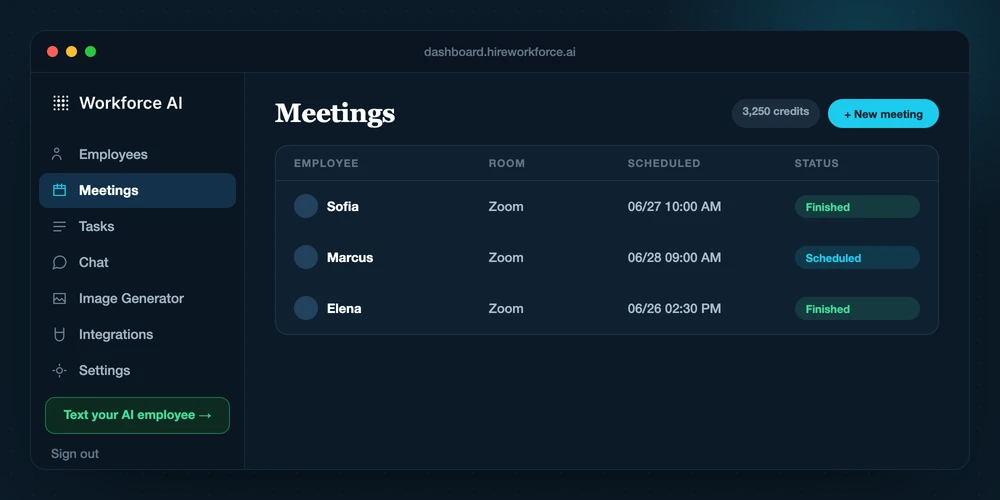
Look for an AI assistant that can use the firm context you already have, support the Zoom meeting itself, and turn the conversation into a reviewed recap and owned next steps. Workforce AI fits that owner-side workflow: you can ask it to work from connected email and memory before the call, bring it into Zoom with you or send it to a briefed Zoom meeting in your place, and review the follow-up draft before anything goes to a client.
Map my consulting workflowReviewed against current product capabilities on 2026-07-15
Shortlist logic
Choose for the whole engagement loop, not one isolated artifact
A notetaker can solve notes. A writing tool can solve a paragraph. A consulting firm that wants preparation, the call, the recap, and the next action connected needs to compare the full workflow and its controls.
| Option | Best fit | What to evaluate | Boundary |
|---|---|---|---|
| Workforce AIWorkforce fit | Firms that want an owner-side AI employee across connected email, Zoom, follow-up, tasks, and memory. | Context requests before the meeting, visible Zoom participation, write-ups, reviewed email drafts, and owned next steps. | Client-facing email waits for approval. Zoom summaries should be reviewed. |
| Meeting notetaker | Firms whose main gap is capturing and summarizing a call. | Meeting recording, transcription, notes, and summaries, depending on the product. | Check whether inbox context, follow-up drafting, tasks, and approval controls are part of the same workflow. |
| General AI workspace | Consultants who want flexible analysis and one-off writing help. | Prompted research, drafting, and reasoning with the context the user supplies or connects. | Check live access to firm context, Zoom participation, persistent memory, and client-send approvals. |
| Human operations support | Engagements with many exceptions, judgment calls, and direct client coordination. | Ambiguity, relationship management, escalation, and work that should stay with a person. | Higher ongoing cost, but still the right answer where human judgment is the job. |
Capability boundary
What this workflow can and cannot do
CAN
- Use connected owner context and unified memory when you ask it to prepare for a meeting.
- Join supported Zoom meetings with you or attend a specifically briefed Zoom meeting in your place.
- Draft the recap in your learned writing style and hold the client-facing send for your approval.
CANNOT
- Replace the consultant's analysis, recommendations, scope decisions, or client judgment.
- Promise a flawless transcript or summary; the write-up still deserves review.
- Act as a standing client-facing inbox, phone line, text line, or web chat for your firm.
Working handoff
A practical consulting-firm handoff
- 01
Ask for the prep
Use dashboard chat, email, text, or WhatsApp from your own account to ask for the context you need before the call.
- 02
Brief the Zoom meeting
Bring the AI employee with you, or send it to a specific Zoom meeting with a brief when you cannot attend.
- 03
Review the write-up
Read the summary, confirm decisions and open questions, and correct anything that needs a consultant.
- 04
Approve the follow-up
The client recap is drafted in your voice. You edit or approve what goes out.
Direct answers
Questions behind the search
Can Workforce AI prepare me before a consulting client meeting?
Yes. You can ask your AI employee to use the connected email, meeting, and account memory available to your workspace to pull together context before the call. You remain responsible for the analysis and recommendations.
Can it attend a Zoom meeting without me?
Yes. You can send it to a specific Zoom meeting in your place with a per-meeting brief. It discusses the assigned topic and gives you the write-up afterward. This is a dispatched meeting workflow, not a public line clients can use.
Does it send the client recap automatically?
No. It can draft the recap in your learned writing style, but anything client-facing waits for your approval.
Does it work with Microsoft Teams or Google Meet?
Do not assume that. The current meeting claim is Zoom. Teams and Google Meet are not part of this answer.
