Skip to content
Deep product comparison

Workforce AI vs GoHighLevel AI Employee

GoHighLevel bundles Conversation AI, Voice AI, Reviews AI, Content AI, Workflow AI, and funnel or website tools inside an agency and sub-account platform. Workforce AI gives a small business an owner-side employee across email, supported Zoom, follow-up, tasks, and memory. The deciding factor is often whether GoHighLevel already runs the business.

Product facts reviewed August 26, 2026
Best fit at a glance
W
Winner: broader owner-side continuityWorkforce AI

Small firms that want a direct employee experience without adopting an agency CRM and marketing platform as the operating system.

G
GoHighLevel AI Employee

Agencies and GoHighLevel locations that want AI conversation, voice, reviews, content, workflow, and funnel tools inside existing sub-accounts.

Short answer

GoHighLevel adds AI to its agency operating system. Workforce AI can stand on its own.

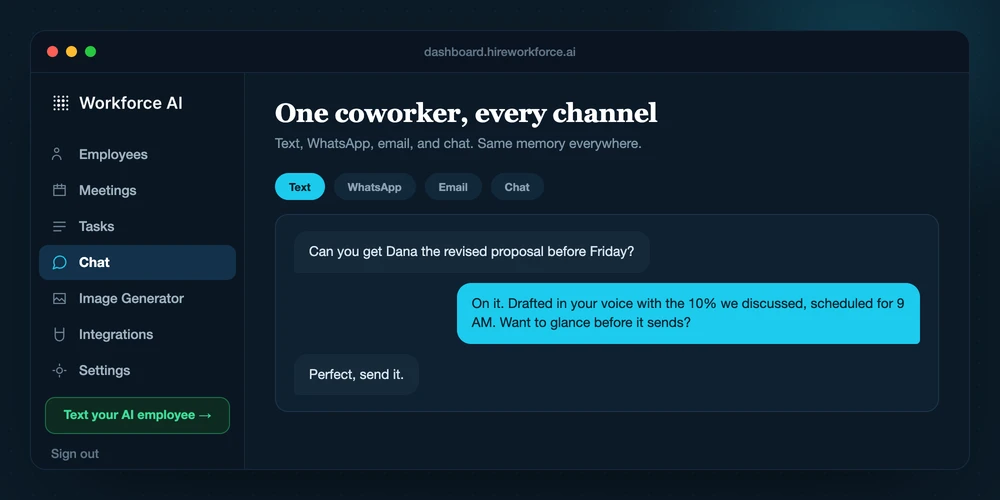
GoHighLevel is compelling when the CRM, phone, funnels, sub-accounts, and agency model are already in place. Workforce AI is cleaner when the business wants an employee around its current email, supported meetings, follow-up, tasks, and memory without a platform migration.

Decision snapshot

The products are built from different starting points.

Official GoHighLevel AI Employee page
Primary buyer
Workforce AISmall business or firm
GoHighLevel AI EmployeeAgencies and GoHighLevel locations
AI suite
Workforce AIOne connected employee role
GoHighLevel AI EmployeeConversation, Voice, Reviews, Content, Workflow, Funnel and Website AI
Architecture
Workforce AIDirect account
GoHighLevel AI EmployeeAgency and sub-account model
AI pricing
Workforce AI$0 / from $99
GoHighLevel AI Employee$50 Growth or $97 Unlimited per location, plus applicable usage
Capability matrix

Checks, limits, and gaps from the public evidence

A check means the capability is supported in the reviewed material. A partial mark means the fit is narrower or depends on configuration. A question mark means the vendor did not publish enough evidence to call it either way.

SupportedPartial or conditionalNot offeredNot publicly documented
Buying criterion
Workforce AI
GoHighLevel AI Employee
Ready-made small-business roleCan a small firm start with an operating role instead of designing an agent platform?

AI employees are configured around recurring work for small professional-services and local-business teams.

Sources 1

Locations and agencies can package AI for local businesses.

Sources 5
Connected email draftingCan it use connected email context to prepare a useful reply?

Connects Gmail or Outlook and prepares drafts from the actual thread and account context.

Sources 13

Conversation, content, and workflow tools can handle email-related work.

Sources 5
Human review before client emailCan the owner inspect client-facing email before it goes out?

Client-facing email remains a draft for owner review and sending.

Sources 14

Workflows and agents can be configured with controls; exact human review depends on the implementation.

Sources 5
Visible Zoom attendanceCan it join a supported Zoom call as a visible participant?

Can join supported Zoom meetings with the owner or from a supplied brief.

Sources 13

Visible Zoom attendance is not the primary AI Employee capability.

Sources 5
Meeting-to-follow-up continuityCan meeting context carry into a reviewed email and next tasks?

Turns supported meeting context into a write-up, draft, and explicit next steps inside the same work trail.

Sources 1

Conversation and workflow automation support continuing lead and customer follow-up.

Sources 5
Recurring tasks and scheduling contextCan it keep routine work moving beyond a single answer?

Supports recurring tasks, scheduling context, reminders, and connected next steps.

Sources 1

Workflow AI and Agent Studio support recurring execution.

Sources 5
Cross-channel client memoryDoes the next interaction begin with the prior client context?

Keeps account-scoped context across connected email, meetings, chat, SMS, WhatsApp, tasks, and uploaded knowledge.

Sources 14

CRM and conversation context ground the AI tools.

Sources 5
Owner SMS and WhatsAppCan the business owner work with the assistant outside the dashboard?

The account owner can work with the AI employee through supported SMS and WhatsApp channels.

Sources 13

Voice, messaging, reviews, web, funnels, and communication channels are broad.

Sources 5
General agent builderIs the product a broad environment for designing arbitrary agents?

Workforce AI configures roles and workflows, but it is not sold as a general-purpose agent development platform.

Sources 1

Workflow AI, Agent Studio, and platform automation provide broad construction options.

Sources 5
Autonomous customer calls or chatCan it independently answer customer phone calls or website chats today?

The current product is owner-side. Browser voice is available, but autonomous customer phone answering and customer-facing website support are outside the current product boundary.

Sources 1

Conversation AI and Voice AI are core.

Sources 5
Specialist vertical workflowDoes it ship with a workflow built only for one profession or front-office system?

Industry configurations support common workflows, while licensed professional judgment and specialist systems stay with the firm.

Sources 1

The agency and local-business platform goes deep across CRM, marketing, communications, and locations.

Sources 5
Public entry pricingCan a buyer see a starting price before a sales call?

The email drafter is free and full AI employee plans start at $99 per user per month.

Sources 2

AI Employee Growth and Unlimited prices are public, with separate usage considerations.

Sources 5
Where each wins

Pick the product whose strongest lane matches the bottleneck.

Choose Workforce AI when

The client trail is the work.

  • The firm wants a ready owner-side workflow instead of an agent-building project.
  • Email, supported Zoom, follow-up, tasks, and client memory should share one trail.
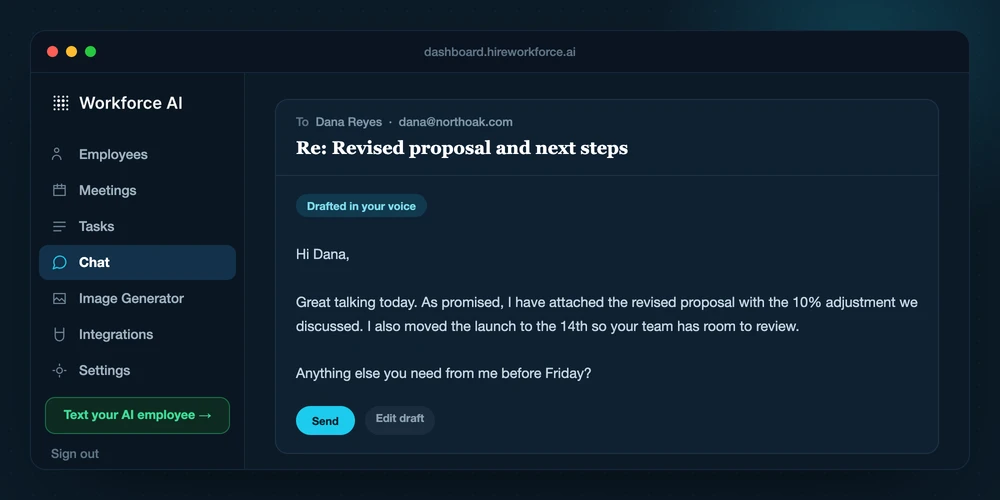
  • Client-facing email should stop for a person to review and send.
Choose GoHighLevel AI Employee when

Its specialist lane is the work.

  • The business or agency already runs on GoHighLevel.
  • Voice, reviews, funnels, CRM, and multichannel lead automation are required together.
  • Sub-account deployment is part of the business model.
Workflow test

The buyer can add AI to an existing platform or add an employee beside the current stack.

GoHighLevel favors the first route. Workforce AI favors the second and keeps the starting workflow centered on the owner's real client work.

Step
With Workforce AI
With GoHighLevel AI Employee
01

Connect the owner's supported email, calendar context, and other selected tools.

Enable AI Employee products for the relevant agency location or sub-account.

02

Give the AI employee a recurring job, a real thread, or a supported Zoom meeting.

Configure knowledge, channels, workflows, calendars, phone, CRM, and usage controls.

03

Review the prepared email, meeting write-up, task, or sensitive next step.

Run Conversation, Voice, Reviews, Content, or Workflow AI for the selected jobs.

04

Carry the approved context into the next client touch instead of rebuilding it from scratch.

Monitor usage charges, conversations, conversions, and sub-account outcomes.

Before you buy

Run the same job through both products.

Do not score a demo on the first answer. Score the complete job, the manual handoffs, the review point, and what survives into the next interaction.

  1. 01

    Which exact job does GoHighLevel AI Employee complete without a manual handoff?

  2. 02

    Which actions require approval, and where is the approval history visible?

  3. 03

    How much setup and ongoing maintenance does a reliable workflow require?

  4. 04

    What is the full price after usage, integrations, implementation, and support?

Research method

Primary sources, dated facts, no invented gaps.

We reviewed official product, documentation, help-center, and pricing material on August 26, 2026. When a vendor did not publicly document a capability, the matrix says that. It does not turn silence into an X.

  1. 1Workforce AI product overviewWorkforce AI
  2. 2Workforce AI pricingWorkforce AI
  3. 3Workforce AI integrationsWorkforce AI
  4. 4Workforce AI security and controlsWorkforce AI
  5. 5GoHighLevel AI Employee overviewGoHighLevel
  6. 6GoHighLevel AI Employee pricingGoHighLevel
Questions

Questions about Workforce AI and GoHighLevel AI Employee

Reviewed August 26, 2026.

Is Workforce AI a replacement for GoHighLevel AI Employee?

Only when the job matches. GoHighLevel AI Employee is the better choice for agencies and GoHighLevel locations that want AI conversation, voice, reviews, content, workflow, and funnel tools inside existing sub-accounts. Workforce AI is the better choice when connected email, supported Zoom, reviewed follow-up, tasks, scheduling context, and client memory need to move together.

Which product is easier for a small business to start with?

Workforce AI is packaged for small firms and publishes a free email drafter plus paid AI employee plans. GoHighLevel AI Employee may be easy to start when its specialist job is exactly what the business needs, but broader platforms usually require more workflow design or implementation.

Can a business use Workforce AI and GoHighLevel AI Employee together?

Yes. Keep GoHighLevel AI Employee for the specialist or platform job it handles best, and use Workforce AI for the owner-side client communication and follow-through around it. Define separate triggers and systems of record so the tools do not duplicate actions.

How do the prices compare?

Workforce AI offers a free email drafter and paid AI employee plans starting at $99 per user per month. Confirm GoHighLevel AI Employee's current commercial terms, usage charges, implementation, integrations, and support before purchase.

How was this comparison researched?

The comparison uses official product, documentation, help-center, and pricing sources listed on this page. Facts were reviewed on August 26, 2026. A missing public claim is marked as not publicly documented instead of being treated as a missing feature.
Decide with real work

Compare the products on one workflow you do every week.

A feature table is useful. A real inbox, meeting, or follow-up process makes the difference obvious.
