The client trail is the work.
- The work must span email, supported Zoom, tasks, and owner messaging.
- The business wants one continuing role instead of switching among helpers.
- Client context and approval-controlled follow-through are central.
Sintra gives a business a roster of specialized AI helpers. Workforce AI gives the business one AI employee that stays with the work across email, Zoom, follow-up, tasks, approvals, scheduling, text, and WhatsApp. Pick the cast of specialists or the employee who remembers the whole shift.
Small businesses that want one AI employee to carry connected client work from the inbox and meeting into follow-up, tasks, approvals, and the next channel.
People who prefer a team of named specialist helpers, chat-based use cases, shared Brain AI context, and a monthly credit pool.
Sintra is appealing when you want separate assistants for marketing, support, sales, recruiting, analysis, and other roles. Workforce AI is built around continuity: the person from the email is the person from the Zoom call, the follow-up task, and the approved next touch. The practical choice is specialist variety versus one connected operating role.
A check means supported. A dash means partial or conditional. A question mark means the vendor did not publish enough to decide.
AI employees are configured around recurring work for small professional-services and local-business teams.
Sintra packages named AI Helpers around recognizable small-business jobs.
Connects Gmail or Outlook and prepares drafts from the actual thread and account context.
Inbox and writing helpers support email drafting and communication work.
Client-facing email remains a draft for owner review and sending.
Users review helper output, but a formal cross-channel approval ledger is not the defining workflow.
Can join supported Zoom meetings with the owner or from a supplied brief.
A visible, interactive Zoom participant is not part of the public Sintra product.
Turns supported meeting context into a write-up, draft, and explicit next steps inside the same work trail.
Helpers can prepare communication and continuing marketing or business tasks.
Supports recurring tasks, scheduling context, reminders, and connected next steps.
Specialist helpers and workspace credits support repeated business tasks.
Keeps account-scoped context across connected email, meetings, chat, SMS, WhatsApp, tasks, and uploaded knowledge.
Brain AI provides shared workspace context for the Helpers.
The account owner can work with the AI employee through supported SMS and WhatsApp channels.
Helpers cover multiple communication jobs, but owner SMS and WhatsApp are not the primary work surface.
Workforce AI configures roles and workflows, but it is not sold as a general-purpose agent development platform.
Sintra offers a roster of predefined Helpers rather than a general workflow builder.
The current product is owner-side. Browser voice is available, but autonomous customer phone answering and customer-facing website support are outside the current product boundary.
Helpers can create customer-facing content, but autonomous live support is not the central product.
Industry configurations support common workflows, while licensed professional judgment and specialist systems stay with the firm.
The roster specializes by business function rather than by one regulated profession or trade system.
The email drafter is free and full AI employee plans start at $99 per user per month.
Sintra X pricing, term options, and workspace credits are published.
These are real Workforce AI product views. The point is continuity: useful context enters once, then carries into the draft, follow-up, or next task.
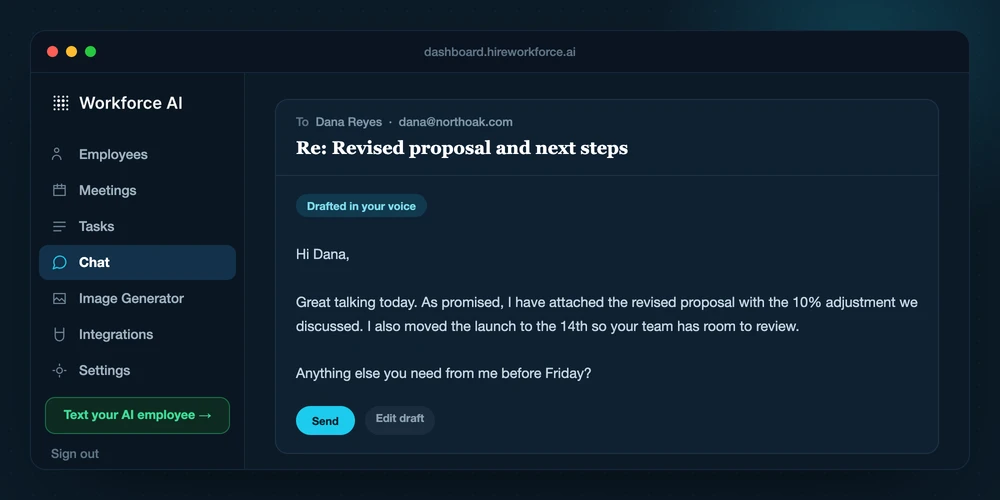
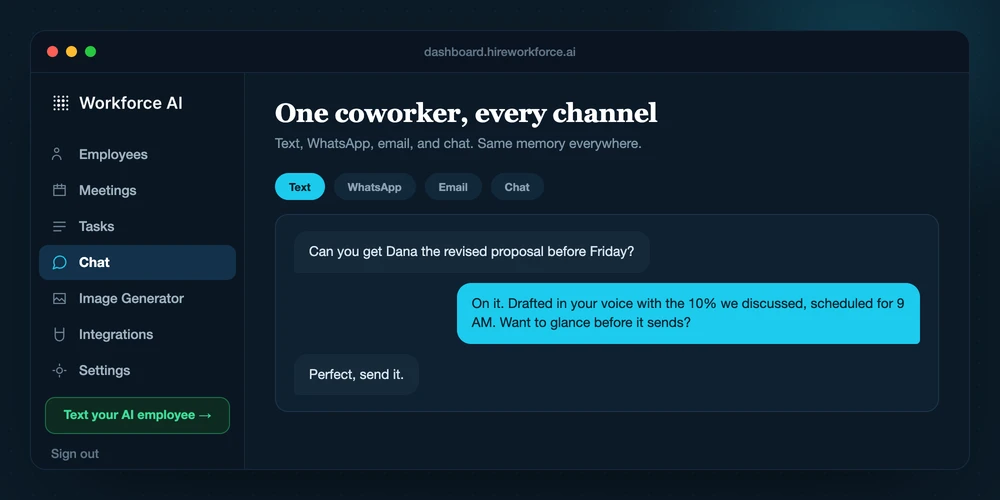
Sintra offers breadth through distinct Helpers. Workforce AI is designed around one employee trail that stays attached to the client and recurring job.
Connect the owner's supported email, calendar context, and other selected tools.
Create the Sintra workspace and add business context to Brain AI.
Give the AI employee a recurring job, a real thread, or a supported Zoom meeting.
Choose the specialist Helper that matches the current request.
Review the prepared email, meeting write-up, task, or sensitive next step.
Use workspace credits to generate or continue the work.
Carry the approved context into the next client touch instead of rebuilding it from scratch.
Review the output and move it into the operating system that owns the next action.
Do not score a demo on the first answer. Score the complete job, the manual handoffs, the review point, and what survives into the next interaction.
Which exact job does Sintra AI complete without a manual handoff?
Which actions require approval, and where is the approval history visible?
How much setup and ongoing maintenance does a reliable workflow require?
What is the full price after usage, integrations, implementation, and support?
Reviewed August 26, 2026.
That depends on the job. Sintra AI may be the better specialist for its core category. Workforce AI is the better fit when email, meetings, follow-up, tasks, approvals, scheduling, and client context need to move together.
Yes. Keep Sintra AI for the work it handles best and give Workforce AI the recurring communication and follow-up around it. Test one real workflow before paying for overlapping capabilities.
Product and public pricing facts were reviewed on August 26, 2026. Vendors change plans, limits, and features, so confirm a time-sensitive buying detail before purchase.
A feature table is useful. A real inbox, meeting, or follow-up process makes the difference obvious.
