The client trail is the work.
- The company wants a ready employee rather than an avatar engineering project.
- Email, meeting aftermath, tasks, and memory must be included.
- The buyer is an operator rather than a product-development team.
Tavus gives developers a configurable conversational-video interface and replica stack. Workforce AI gives a business a packaged AI employee that works across meetings, email, follow-up, tasks, memory, approvals, and client channels.
A company that wants a configured AI employee and business application, without assembling the avatar, model, tools, memory, approvals, and workflows itself.
Developers building a custom real-time conversational-video product with configurable replicas, persona, perception, STT, LLM, TTS, and WebRTC layers.
Choose Tavus when your team wants to build and own a custom conversational-video experience. Choose Workforce AI when the business wants the meeting to become email, tasks, follow-up, approvals, and retained context without turning avatar infrastructure into a product-development project.
A check means supported. A dash means partial or conditional. A question mark means the vendor did not publish enough to decide.
AI employees are configured around recurring work for small professional-services and local-business teams.
Tavus provides infrastructure for product teams rather than a ready small-business employee.
Connects Gmail or Outlook and prepares drafts from the actual thread and account context.
Connected business email drafting is outside the core CVI product.
Client-facing email remains a draft for owner review and sending.
Applications can add confirmation and review logic, but Tavus does not package the client-work approval trail.
Can join supported Zoom meetings with the owner or from a supplied brief.
The Conversational Video Interface runs its own real-time session rather than joining Zoom as the packaged product.
Turns supported meeting context into a write-up, draft, and explicit next steps inside the same work trail.
Meeting-to-client follow-up must be implemented by the application developer.
Supports recurring tasks, scheduling context, reminders, and connected next steps.
Recurring business task execution is not the infrastructure product.
Keeps account-scoped context across connected email, meetings, chat, SMS, WhatsApp, tasks, and uploaded knowledge.
Developers can configure persona, knowledge, and conversational context inside the built experience.
The account owner can work with the AI employee through supported SMS and WhatsApp channels.
Owner SMS and WhatsApp are not standard Tavus work surfaces.
Workforce AI configures roles and workflows, but it is not sold as a general-purpose agent development platform.
The CVI and APIs are designed for developers building real-time video agents.
The current product is owner-side. Browser voice is available, but autonomous customer phone answering and customer-facing website support are outside the current product boundary.
Customer-facing conversational video is a core use case for the platform.
Industry configurations support common workflows, while licensed professional judgment and specialist systems stay with the firm.
Tavus is horizontal infrastructure rather than a packaged profession-specific workflow.
The email drafter is free and full AI employee plans start at $99 per user per month.
Developer and usage pricing are published, subject to current plan limits.
These are real Workforce AI product views. The point is continuity: useful context enters once, then carries into the draft, follow-up, or next task.
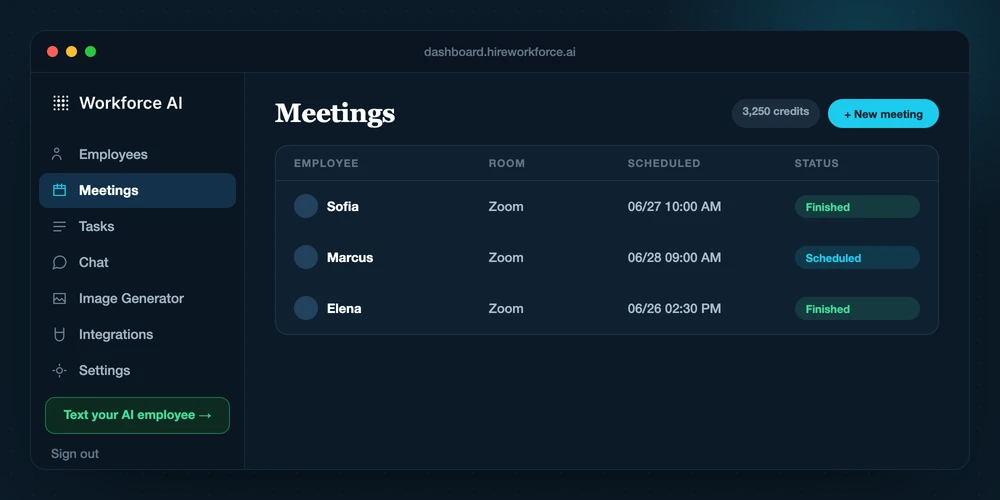
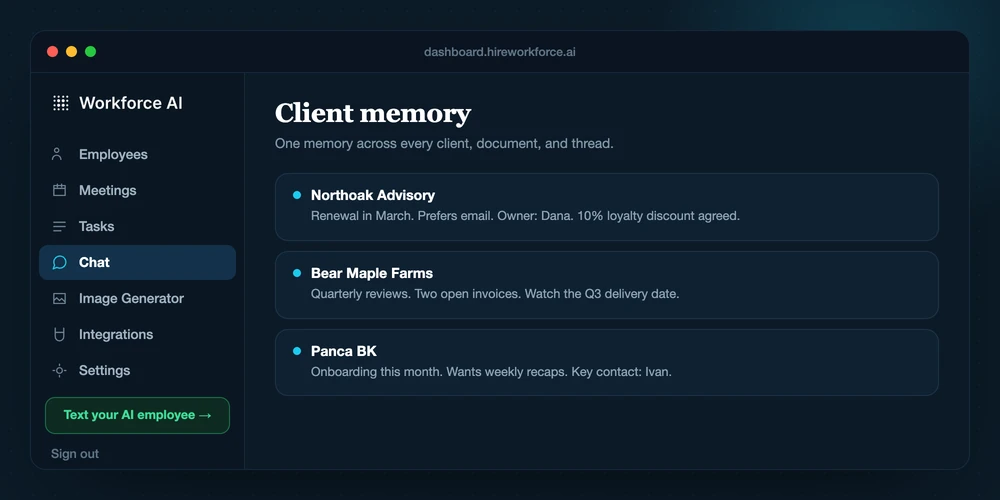
Tavus gives developers the pieces for a real-time conversational video application. Workforce AI packages an operating role for the business that wants the result without building that layer.
Connect the owner's supported email, calendar context, and other selected tools.
Create the Tavus developer project and configure the persona, replica, knowledge, and conversation settings.
Give the AI employee a recurring job, a real thread, or a supported Zoom meeting.
Integrate the Conversational Video Interface into the application.
Review the prepared email, meeting write-up, task, or sensitive next step.
Add product-specific authentication, tools, guardrails, analytics, and business logic.
Carry the approved context into the next client touch instead of rebuilding it from scratch.
Operate the resulting customer or user conversation experience.
Do not score a demo on the first answer. Score the complete job, the manual handoffs, the review point, and what survives into the next interaction.
Which exact job does Tavus complete without a manual handoff?
Which actions require approval, and where is the approval history visible?
How much setup and ongoing maintenance does a reliable workflow require?
What is the full price after usage, integrations, implementation, and support?
Reviewed August 26, 2026.
Not for every job. Tavus and Workforce AI overlap in some areas, but the better choice depends on whether you need a general assistant, a focused email tool, or an AI employee configured around recurring business workflows.
Yes. Many teams keep a general AI or specialist tool for the work it does well and use Workforce AI for connected client operations, approvals, follow-up, meetings, and recurring tasks.
The product and pricing facts were reviewed on August 26, 2026. Vendor features and prices can change, so confirm time-sensitive plan details before purchasing.
A feature table is useful. A real inbox, meeting, or follow-up process makes the difference obvious.
