Small-business email management that keeps replies moving
A crowded inbox is usually an ownership problem wearing an email costume. This guide turns incoming messages into a short, visible work queue without forcing the owner to live in email all day.
What is the best way to manage email in a small business?
Use one shared triage rule: every business email is either waiting for a reply, waiting for someone else, scheduled for later, or finished. Assign one owner, write a reply deadline, keep reusable language for common questions, and review the waiting queues twice a day. Automation can sort or draft. A person should approve commitments, prices, sensitive answers, and client-facing messages.
Turn common inbox symptoms into operating rules
Prices and packaging change. The entries below were checked on 2026-08-24.
| Inbox symptom | Rule to add | What success looks like |
|---|---|---|
| The owner answers everything | Route by topic and name a backup owner | Only true exceptions reach the owner |
| Two people reply to the same client | Give each thread one visible owner | One reply, one accountable person |
| Messages disappear after reading | Move every open item to Reply, Waiting, or Later | The inbox itself is not the task list |
| Replies sound different every time | Keep approved templates and examples | Faster drafts with a consistent voice |
| Follow-up depends on memory | Add a dated task or reminder before leaving the thread | Every promise has an owner and date |
| Automation sends the wrong thing | Draft first and require review for outside messages | Speed without silent commitments |
Use four queues and one owner per thread
The inbox should hold new mail, not every unfinished job in the company. When a message is read, place it in one of four states: Reply, Waiting, Later, or Done. Gmail labels, Outlook folders, flags, or categories can all support the system. The names matter less than using them the same way every day.
Reply means your business owes the next message. Waiting means another person owes the next move. Later means the message has a real review date. Done means no action remains. If a thread has two owners, it has no owner. Put a name on it.
A shared mailbox needs the same discipline. Use assignment, initials, or a team field that everyone can see. Forwarding copies into personal inboxes creates parallel histories and duplicate replies.
- Reply: your company owes a response.
- Waiting: the next move belongs to someone else.
- Later: the message has a specific review date.
- Done: the thread is complete and searchable.
Build examples from replies you already like
The fastest source of good templates is your sent folder. Find five replies that sound like the business at its best: a new inquiry, a scheduling change, a document request, a payment reminder, and a meeting follow-up. Remove client details and keep the structure.
A template should leave room for the reason behind the message. If every paragraph is fixed, people send language that does not fit. Keep the greeting, tone, required facts, and close. Write the middle from the actual thread.
Name each template by the job it finishes. "Need tax documents" is easier to find than "Template 7." Review the library every quarter and retire language the team no longer uses.
Use AI for the first draft and keep the decision with a person
AI is most useful when it has the full thread, approved examples, and a clear instruction about the result. It can prepare a concise reply, pull out requested items, or turn meeting notes into a follow-up. The draft should cite the facts already in the source material instead of filling gaps with plausible language.
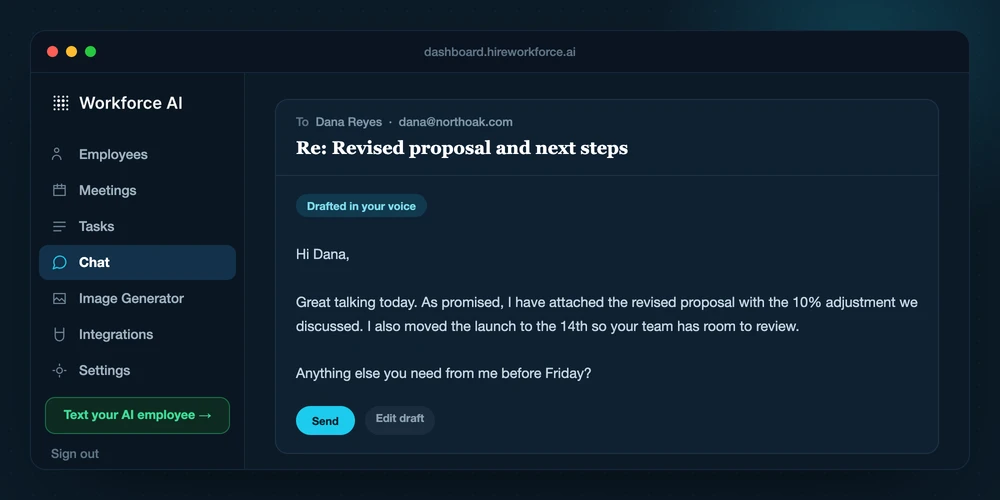
Workforce AI can connect to Gmail or Outlook and prepare drafts in the owner's voice. On paid plans, supported meeting and connected context can carry into the draft. Client-facing email waits for the owner to review and send. That boundary matters when the thread includes a promise, price, deadline, or sensitive detail.
Judge the system by kept drafts, edit time, and missed follow-up. Draft count alone can reward noisy output. A strong setup produces fewer drafts that need smaller edits.
- Give the AI the full thread and the purpose of the reply.
- Require the draft to flag missing facts.
- Keep prices, commitments, and professional judgment behind review.
- Save good edited replies as future examples.
A 30-minute inbox reset
Spend the first five minutes creating Reply, Waiting, Later, and Done. Use the next ten minutes to move every message from the last seven days into one of those states. Do not organize old mail during this pass.
Use ten minutes to create three filters or rules for predictable traffic: receipts and system alerts, calendar notices, and newsletters. Keep client and prospect mail out of broad automatic folders until you trust the rule.
Use the final five minutes to schedule two review windows. One late morning and one late afternoon usually works better than checking every notification. Urgent channels need a separate rule so the inbox does not pretend every message is urgent.
Track response health and protect the mailbox
Review four numbers each week: new inquiries, median first-response time, threads older than the standard, and promised follow-ups completed on time. These measures show whether the inbox supports the business. Inbox zero does not.
Protect email as a business system. Require multi-factor authentication, remove old accounts quickly, limit mailbox delegation, and review forwarding rules. A compromised inbox can reset passwords, expose client information, and redirect payments.
Keep a short offboarding checklist. Disable the account, transfer owned threads, revoke app connections, rotate shared credentials, and confirm that automatic forwarding no longer points to the former user.
- Median first-response time by message type.
- Number of overdue Reply threads.
- Number of Waiting threads with no next review date.
- Percent of promised follow-ups completed on time.
What small-business buyers ask
Should a small business use a shared inbox?
Use one when several people handle the same address or customer process. The mailbox needs visible assignment, one owner per thread, and a backup rule. A shared password is not a shared inbox system.
How often should a business owner check email?
Two or three planned review windows work for many owners. Sales or support teams may need faster coverage. Define a separate escalation channel for true urgency so every notification does not interrupt the day.
What is the best folder structure for business email?
Use as few states as the team can maintain. Reply, Waiting, Later, and Done cover the work status. Add client or project labels only when they make retrieval faster.
Can AI safely answer business email?
AI can prepare a strong first draft when it has the full thread and good examples. A person should review client-facing messages, especially when they contain prices, promises, sensitive data, or professional judgment.
How do I stop email follow-up from falling through?
Before leaving a thread, add a dated task or place it in Waiting with the next review date. The follow-up should have one owner. Memory is not a workflow.
Email management is not the same as sorting email.
A small-business inbox works better when each important message becomes a clear response, owner, due date, and next action. AI can reduce reading and drafting time, but the operating gain comes from keeping the message connected to the client workflow that follows.
Triage
Separate messages that need a reply, a decision, delegated work, or no action.
Respond
Prepare the useful next message from the thread and available business context.
Close
Record the owner and due date so the task does not disappear after the email is sent.
Give one real thread a better first draft.
Connect Gmail or Outlook and let the free email drafter prepare a reply in your voice. You review it before anything goes out.
