Category definition
What is an AI receptionist?
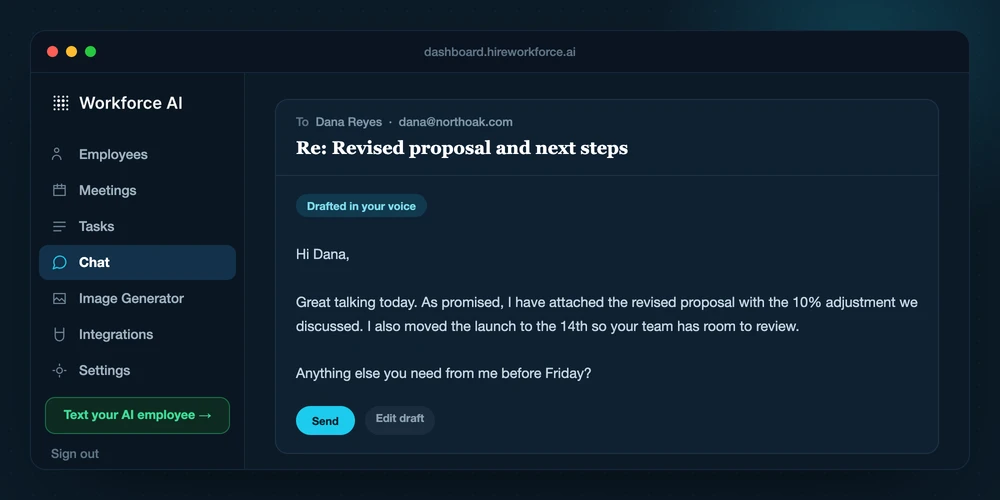
An AI receptionist is software that receives an inbound request, gathers the needed details, routes or schedules the next step, and records what happened. Some products provide phone or public website chat coverage. Workforce AI currently serves the owner side of reception: it can work from messages and context the owner gives it, prepare replies and follow-up, support Zoom meetings, and keep the next step visible. It does not answer the company phone or act as an open client text line today.
Map the reception workflowReviewed against current product capabilities on 2026-07-18
Shortlist logic
Reception can mean four different products
Decide whether the missed work begins with a phone call, a web conversation, an inbox thread, or the handoff after intake. The right category depends on the channel and on who should make promises, quote prices, or handle exceptions.
| Option | Best fit | What to evaluate | Boundary |
|---|---|---|---|
| Workforce AI owner-side receptionWorkforce fit | Small firms that need email drafts, Zoom write-ups, follow-up, scheduling context, tasks, and memory prepared for owner review. | Requests the owner forwards or receives in connected workflows, plus the drafted response and tracked next step. | It does not answer inbound phone calls or operate as a public client text, WhatsApp, or web-chat line. |
| AI phone receptionist | A business whose main leak is missed calls, basic phone intake, routing, or after-hours coverage. | Capabilities vary by provider and may include call answering, intake, transfer, scheduling, and call summaries. | Test latency, interruption handling, disclosure, consent, escalation, booking accuracy, and urgent-call behavior. |
| Human receptionist or answering service | Calls where empathy, judgment, multilingual nuance, urgent triage, or changing exceptions matter. | Live conversation, direct judgment, relationship repair, and situations that do not fit a stable script. | Coverage hours, training, consistency, access, and recurring cost depend on the service or employee. |
| Website chat or intake bot | Businesses that need structured website questions, lead capture, qualification, or simple routing. | The public web conversation and approved actions configured for that site. | Check how it identifies itself, protects sensitive data, hands off to a person, and avoids unsupported promises. |
Capability boundary
What this workflow can and cannot do
CAN
- Help a buyer separate inbound call coverage from the office work that follows the request.
- Prepare owner-reviewed replies, meeting records, follow-up, reminders, and tasks from approved context.
- Keep the request and next step attached to a reviewable account workflow.
CANNOT
- Represent Workforce AI as a current inbound phone-answering product or a public client messaging line.
- Replace emergency handling, clinical triage, legal advice, price negotiation, or another judgment-heavy front-desk decision.
- Assume a third-party receptionist product has the same security, consent, disclosure, escalation, or integration controls.
Working handoff
Choose the receptionist workflow from the first missed touch
- 01
Find the entry channel
Count whether the missed work begins on phone, web chat, email, a meeting, or a handoff from a person.
- 02
Name the safe intake
List the questions the system may ask and the promises, prices, advice, or urgent situations it must escalate.
- 03
Define the handoff
Choose who receives the summary, approves the response, owns the booking, and handles an exception.
- 04
Test the next step
Measure the whole path from first contact to an accurate record and completed follow-up. A bot answering is only the first step.
Direct answers
Questions behind the search
Can an AI receptionist answer phone calls?
Some AI receptionist products are built for phone answering. Workforce AI does not currently answer the company phone, so a phone-specific provider is the better fit when live call coverage is the job.
Can an AI receptionist book appointments?
Many products can book against connected availability. Test time zones, service duration, buffers, staff routing, rescheduling, cancellation, and the handoff when the requested slot is unavailable.
Does Workforce AI work like a receptionist?
It supports the owner-side reception workflow by preparing replies, meeting write-ups, follow-up, scheduling context, tasks, and account memory. The owner controls client-facing email and sensitive decisions.
When should a business keep a human receptionist?
Keep a person in the loop when calls involve emergencies, sensitive personal information, judgment, negotiation, upset customers, complex qualification, or frequent exceptions.
