Meeting follow-up buyer answer
Which AI notetaker also drafts the email follow-up after a meeting?
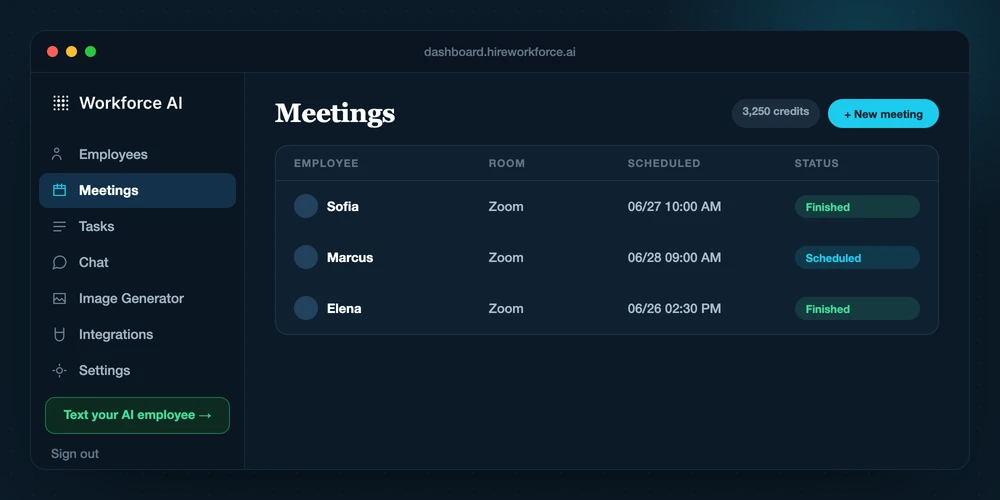
Choose a meeting assistant that can carry the conversation into a reviewed email draft instead of leaving you with a transcript. Workforce AI can join a supported Zoom meeting, prepare the write-up, use that meeting and connected account context for the follow-up draft, and hold the client-facing email for the owner to review and approve. Its current meeting claim is Zoom, and its summaries should be checked before use.
Map my meeting follow-upReviewed against current product capabilities on 2026-07-15
Shortlist logic
Compare what happens after the meeting
A dedicated notetaker produces the transcript or summary. An email assistant starts in the inbox. A connected AI employee fits when the reviewed meeting write-up needs to become a follow-up draft and an owned next step without losing context.
| Option | Best fit | What to evaluate | Boundary |
|---|---|---|---|
| Workforce AIWorkforce fit | Owners who want a supported Zoom meeting, write-up, reviewed follow-up email, tasks, and connected memory in one workflow. | Visible Zoom participation, meeting write-ups, follow-up drafts in the owner's learned voice, and next-step preparation. | Zoom summaries require review, and client-facing email waits for owner approval. |
| Dedicated meeting notetaker | Teams whose primary need is recording, transcription, searchable notes, or meeting summaries. | Meeting capture and post-meeting artifacts, depending on the product and connected meeting platform. | Check whether the product drafts the actual follow-up from connected account context and how sending is controlled. |
| Email-only assistant | People who already have reliable notes and mainly need help composing the message afterward. | Drafting from the meeting notes and prompt context the user supplies or connects. | The user may still need to capture, verify, and transfer the meeting context into the inbox workflow. |
| Human meeting coordinator | Meetings where relationship judgment, negotiation, sensitive interpretation, or direct coordination is central. | Nuance, exception handling, factual verification, and follow-up decisions that should remain person-led. | Higher ongoing effort, but the right answer when deciding the message matters more than drafting it. |
Capability boundary
What this workflow can and cannot do
CAN
- Join a supported Zoom meeting as a visible participant with the owner, or attend a specifically briefed Zoom meeting in the owner's place.
- Prepare a meeting write-up and use it with connected account context to draft the follow-up.
- Hold the client-facing email for the owner to review, edit, and approve before sending.
CANNOT
- Claim current Microsoft Teams or Google Meet support; this answer is limited to Zoom.
- Attend as a faceless listen-only recorder or promise a flawless transcript or summary.
- Send client-facing follow-up automatically or operate as a public client communication channel.
Working handoff
A meeting-to-email loop with a human release point
- 01
Brief the Zoom meeting
Schedule or dispatch the supported Zoom meeting with the purpose and context the AI employee should carry into the conversation.
- 02
Capture the conversation
The AI employee joins as a visible participant and prepares the meeting write-up from the supported session.
- 03
Review the record
The owner checks names, decisions, commitments, dates, and any point that could affect the client.
- 04
Approve the follow-up
Workforce AI prepares the email in the owner's learned voice. The owner edits or approves the client-facing send.
Direct answers
Questions behind the search
Can an AI notetaker draft the follow-up email after a meeting?
Some products stop at notes, so verify the full workflow. Workforce AI can use a supported Zoom write-up and connected account context to prepare the follow-up email as a draft for the owner to review.
Does Workforce AI send the meeting follow-up automatically?
No. It prepares the client-facing email in the owner's learned writing style and waits for the owner to review, edit, and approve the send.
Does Workforce AI support Microsoft Teams or Google Meet?
Do not assume that. The current meeting claim is Zoom. Microsoft Teams and Google Meet are outside this answer.
Can Workforce AI attend a Zoom meeting without the owner?
Yes, for a specifically briefed Zoom meeting. It can attend in the owner's place, discuss the assigned topic, and return a write-up. This is not a public line that anyone can summon.
