Start free in the inbox
Use the free drafter for client replies and meeting follow-ups before you commit to a larger workflow.
If you are looking at AI inbox help, start with the free Workforce AI email drafter. When you want the work to keep moving after the draft, Workforce AI expands into follow-up, scheduling, memory, meetings, and approvals.
Workforce AI is a better fit when you want email drafting plus the next step: remember the client, schedule the follow-up, draft the recap, and keep owner approval in the loop.
Use the free drafter for client replies and meeting follow-ups before you commit to a larger workflow.
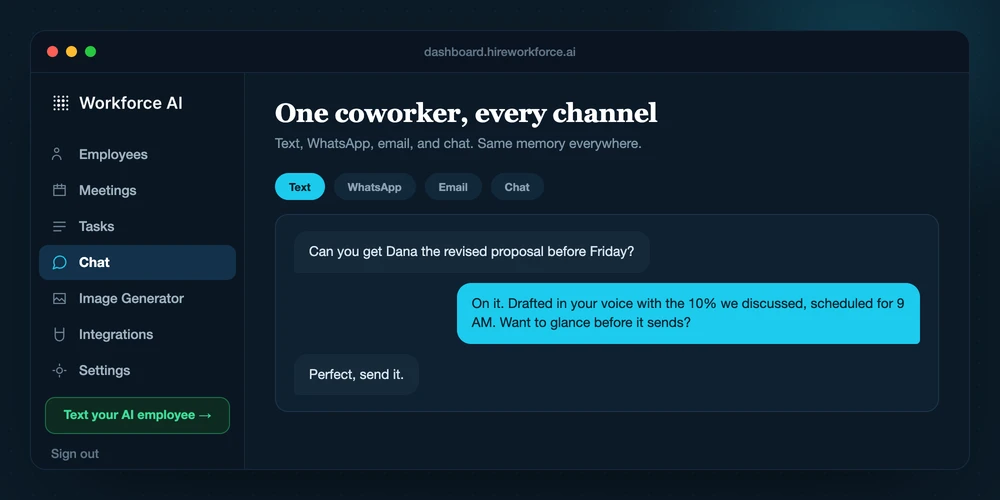
Turn the reply into a task, appointment, reminder, or client handoff instead of leaving it as another thing to remember.
Client-facing work can wait for approval, so speed does not mean losing control of the relationship.
The point is not just writing a better email. It is getting the owner out of the follow-up loop without making the client feel handled by software.
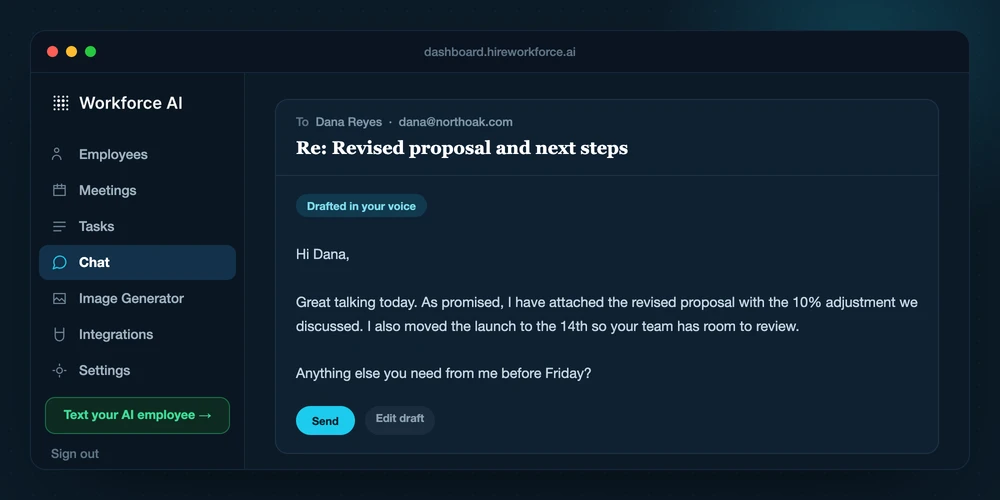
Workforce AI reads the thread and prepares a draft in the right context.
If the reply implies a meeting, reminder, document, or task, the workflow can carry that forward.
The owner can edit, approve, or redirect before anything sensitive goes out.
This page avoids unsupported feature claims. The useful question is what job you need done.
Small teams that want admin work to move across inbox, calendar, meetings, and follow-up.
Fyxer can still be useful for the specific job it was built around.
Lives around the work: messages, meetings, client memory, approvals, and recurring tasks.
Usually starts from a narrower workflow or a chat-style interaction.
Client-facing work can wait for owner approval before it goes out.
Approval flow depends on the tool and the way the team uses it.
Give visitors the email help they came for, then show how Workforce AI keeps the rest of the client workflow moving. That turns a simple email search into a real product path.
It can be, especially if your main need is AI email drafting plus follow-up across calendar, tasks, meetings, and client memory.
Yes. The AI email drafter is free to start, so you can test the inbox workflow before booking a demo or expanding into a full AI employee.
Client-facing sends can be held for approval. The goal is speed with owner control, not surprise automation.
"It gives me back about 8 hours a week. The follow-ups go out without me, and I only step in when something needs a person."
Start free with the email drafter, then expand into follow-up, scheduling, memory, and approvals when you are ready.